

Let's be blunt: Google Ads is the fastest way for a tradie to get the phone ringing with quality, local jobs. Forget waiting for referrals. A well-run ad campaign puts your business right in front of someone who’s just had a pipe burst or their power go out and is frantically searching for help. It turns your marketing from a guessing game into a reliable source of work.
The Untapped Opportunity in Your Local Market
You might think every tradie and their dog is already on Google Ads, but you'd be wrong. The surprising truth is most of your local competitors are still stuck in the past, relying solely on word-of-mouth to keep their schedule full. This lag creates a massive opening for you to clean up in your local area. While they're waiting for the phone to ring, you can be making it ring.
This isn't just a gut feeling; the numbers prove it. A 2025 industry survey of Australian tradies found that only 29% were using paid digital channels like Google Ads. That means over 70% of your competition is completely invisible when a potential customer searches for urgent help. This is happening while billions of searches are made on Google every day, many of them for exactly what you do. For a local tradie, that’s a competitive advantage just waiting to be grabbed. You can see the full breakdown in the 2025 Australian Tradies Market Report on servicetitan.com.
From Ad Spend to Booked Jobs
So what does this look like in real terms? You don't need a monster budget to make this work. A smart, focused campaign can deliver a steady stream of leads without breaking the bank.
Let's take a typical scenario for a small-to-medium business in Adelaide.
With a modest monthly budget of just AUD $1,200, a well-managed campaign can easily bring in 50–60 phone calls. If your offer is solid and your website is half-decent, that often converts to 20–25 booked jobs, delivering a return that blows the initial spend out of the water.
Suddenly, advertising isn't just an expense; it's a growth engine. You’re not just hoping for work, you’re systematically creating it.
Why Your Competitors Are Lagging Behind
It's not that Google Ads doesn't work for tradies. The low uptake usually comes down to a few common roadblocks—roadblocks you can easily navigate.
- It looks too complicated: The Google Ads platform can seem pretty intimidating from the outside, so many just don't even try.
- Fear of burning cash: They’ve heard horror stories about wasting money on useless clicks, and without a clear plan, that's a real risk.
- Stuck in their ways: A lot of businesses are just comfortable with the old "referrals and flyers" model and haven't adapted to how customers find services today.
By knowing what's holding them back, you can get ahead. This guide is your playbook. It'll show you exactly how to set up a campaign that finds the right customers, in the right suburbs, for the right price.
Building Your First Campaign for Local Jobs
Right, let’s get our hands dirty. Building your first Google Ads campaign is where the theory stops and the real work begins. Forget the generic, one-size-fits-all advice you see everywhere. For a tradie, a successful setup hinges on nailing a few critical local settings right from the start. Get this wrong, and you'll burn through your budget on the wrong clicks before you know it.
The goal is simple: get your business in front of local homeowners who have an urgent problem, right when they're searching for a solution.
For this, a Search Campaign is your best mate. It’s specifically designed to capture people who are actively looking for help, like someone frantically typing "emergency plumber Adelaide" into their phone. This is what we call high-intent traffic—the kind that leads directly to phone calls and booked jobs.
This simple flow shows exactly how Google Ads connects a customer's urgent search directly to a phone call with your business.
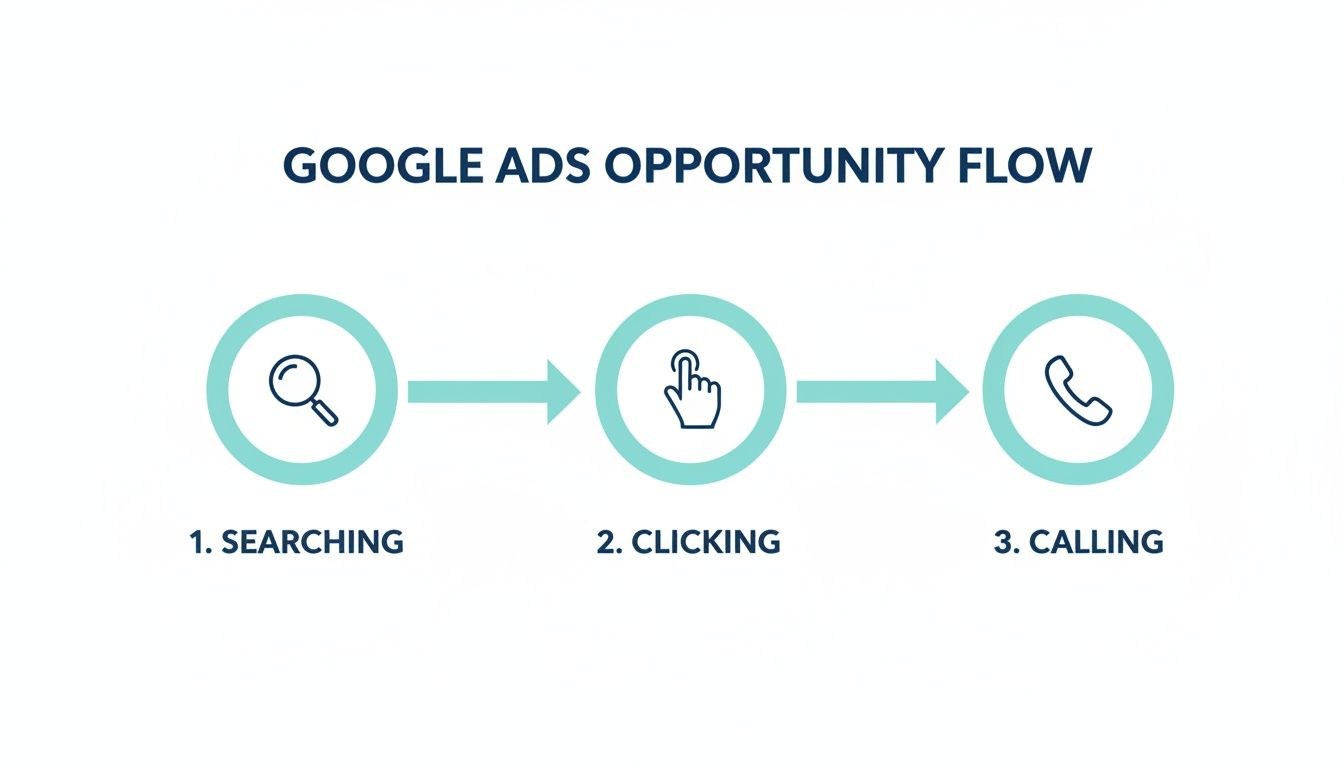
Think about that journey from search to action. Your entire setup should be focused on making this path as quick and seamless as possible for someone who’s stressed out and needs a professional, fast.
Nailing Your Geographic Targeting
Your first and most important decision is telling Google exactly where your ads should show. By default, Google might suggest targeting an entire city or even a whole state. This is a classic rookie mistake that just wastes money on clicks from people you can't actually service.
You need to be surgical with this.
Go into your campaign settings and find ‘Location options’. Make sure you select ‘Presence: People in or regularly in your targeted locations’. This one simple tweak stops your ads from showing to someone in Melbourne who happens to be searching for a service in Adelaide. It’s a game-changer.
Next, you need to list out the specific suburbs you actually work in. If your service area is mainly the eastern suburbs, don't waste a single cent showing ads to someone in Port Adelaide. Be ruthless with your targeting to ensure every dollar is spent reaching a genuine potential customer.
A tightly defined service area is the absolute foundation of a profitable Google Ads campaign for any tradie. It’s far better to dominate five key suburbs than to be barely visible across fifty.
Essential Campaign Settings for Local Tradies
Getting the campaign settings right from day one is non-negotiable. It’s the difference between a campaign that brings in jobs and one that just drains your bank account. Here’s a quick-reference checklist of the most critical settings you need to lock in.
| Setting | Recommended for Tradies | Why It Matters |
|---|---|---|
| Campaign Goal | Leads | Tells Google's algorithm to focus on getting you phone calls and form submissions, not just website traffic. |
| Campaign Type | Search | Targets customers actively searching for your services, ensuring your budget is spent on high-intent users. |
| Networks | Uncheck 'Display Network' & 'Search Partners' | Keeps your ads on Google Search only, preventing wasted spend on less relevant websites and apps. |
| Locations | Specific suburbs/postcodes | Ensures you only pay for clicks from people in your actual service area, maximising your return on investment. |
| Location Options | 'Presence: People in or regularly in' | Filters out people who are interested in your location but aren't physically there, which is crucial for local services. |
This table isn't just a suggestion list; it's your blueprint for a solid foundation. Double-check these settings before you even think about writing an ad or picking a keyword.
Structuring Your Ad Groups for Success
Once your location is locked in, it's time to organise your campaign into logical Ad Groups. Think of an Ad Group as a container for one specific service you offer. A messy, disorganised structure is where most campaigns fall apart, leading to irrelevant ads and clicks that go nowhere.
Seriously, don't just create one giant Ad Group called "Plumbing Services." It's far too broad.
Instead, create dedicated Ad Groups for each of your main services. This allows you to get super specific with your messaging.
- Example for an Electrician:
- Ad Group 1: Emergency Electrician
- Ad Group 2: Switchboard Upgrades
- Ad Group 3: LED Downlight Installation
This tight structure means you can create highly relevant ads and keywords for each individual service. When someone searches for an "emergency electrician," they see an ad that talks about your 24/7 service, not a generic one about lighting upgrades. This alignment is absolutely crucial for getting a higher click-through rate and, more importantly, more qualified calls.
Building Your Foundation
This initial setup—choosing a Search campaign, defining a tight geographic area, and structuring your Ad Groups by service—is the blueprint for everything that follows. It ensures your keywords, ad copy, and landing pages all work together seamlessly. While Google Ads is just one piece of the marketing puzzle, getting it right is a massive step.
To see how this fits into a broader strategy, you can explore other effective approaches in our guide to 7 Proven Strategies for Lead Generation for Contractors. Getting this foundation correct from day one sets you up for a campaign that doesn't just spend money—it makes it.
Writing Ads and Choosing Keywords That Get Calls
This is where the rubber really meets the road. You can have the most perfectly structured campaign in the world, but it’s completely useless without the right keywords to attract customers and ads that actually make them pick up the phone.
Get this part right, and you’ll be feeding your business a steady stream of high-quality, local leads. Get it wrong, and you'll just be attracting tyre-kickers and DIY enthusiasts who do nothing but drain your budget.
The whole game here is about matching user intent. You need to find the person who’s just discovered a burst pipe and is frantically searching for a fix, not someone looking up tutorials for a weekend project. And that starts with knowing how to pick and control your keywords.
Understanding Keyword Match Types
Google gives you a few different levers to pull when it comes to controlling when your ads show up. You can think of it as casting a wide fishing net versus using a very precise spear. For most tradies just starting out, being specific is the absolute key to staying profitable.
Let's break it down with a real-world example for a plumber in Adelaide.
Broad Match:
plumber adelaide
This tells Google to show your ad for pretty much any search it thinks is vaguely related. You might show up for "plumbing jobs in Adelaide" or "how to become a plumber in South Australia." Honestly, this match type is one of the fastest ways to waste a lot of money. Avoid it.Phrase Match:
"plumber adelaide"
Now we're talking. This is a much better option, showing your ad for searches that include the core phrase "plumber adelaide" in that order. So, things like "best plumber adelaide" or "emergency plumber adelaide reviews" will trigger your ad. It's a great middle-ground.Exact Match:
[plumber adelaide]
This is your spear. It will only show your ad when someone types in that exact phrase or something incredibly close to it, like "plumbers adelaide." This is perfect for high-intent, bottom-of-the-funnel searches where you know exactly what the customer needs.
My advice? Stick with Phrase and Exact match keywords when you're starting. They give you the most control and help ensure you’re only paying for clicks from people who are genuinely looking for your service. You can always broaden your approach later once you've got more data.
The Hidden Power of Negative Keywords
This is, without a doubt, the most important—and most overlooked—part of managing a Google Ads account for tradies. Negative keywords are simply terms you tell Google not to show your ads for. They are your campaign's defensive line, protecting your budget from all those irrelevant, money-wasting clicks.
Every click you prevent from a job-seeker, a student, or a DIYer is money saved that can be spent on finding a real customer.
Here’s a starter list of negative keywords that almost every tradie should plug into their campaign straight away:
-jobs-course-training-salary-DIY-how to-free-cheap-youtube-pictures
Then, think about your specific trade. An electrician should add negatives like -parts or -diagram. A builder should block terms like -plans or -council approval. Building this list over time isn't just a good idea; it's a non-negotiable part of running a profitable campaign.
Writing Ad Copy That Gets Clicks and Calls
Once your keywords are sorted, you need an ad that speaks directly to a customer in need. Your ad copy is no place for clever branding or vague promises. It needs to be a direct, compelling solution to an urgent problem.
Your headlines are what matter most. They need to grab attention and qualify the user in an instant. A great formula I've seen work time and time again for tradies is Service + Location + Urgency/Benefit.
- Example Headline 1: 24/7 Emergency Electrician in Unley
- Example Headline 2: Blocked Drains Cleared Today
- Example Headline 3: Same-Day Hot Water Repairs
These headlines immediately tell the searcher you offer the exact service they need, in their area, and can solve their problem fast. No fluff.
In the description lines below the headlines, you just reinforce these points and sprinkle in some trust signals.
- Example Description: Licensed & insured Adelaide plumber. Fast, reliable service for blocked drains, leaking taps & hot water systems. Call for a no-obligation quote.
Using Ad Extensions to Dominate the Results Page
Ad extensions are the extra snippets of information that can appear with your ad. They make your ad bigger, more noticeable, and give customers more reasons to click your ad instead of a competitor's. The best part? They are completely free to add.
For any tradie, these are the must-have extensions to set up:
- Call Extensions: This adds your phone number directly to the ad. On a mobile phone, it becomes a clickable "call" button, making it ridiculously easy for customers to ring you straight from the search results.
- Location Extensions: This shows your business address (or service area) and puts your business on a map. For local customers, this is a huge trust signal.
- Sitelink Extensions: Think of these as extra links to specific pages on your website. You can use them to direct people to pages like "Emergency Services," "Our Pricing," or "Service Areas."
- Callout Extensions: These are short, punchy benefit statements. Things like "24/7 Service," "Fully Licensed," "Free Quotes," or "Family Owned" work perfectly here.
Using these extensions properly can massively increase your click-through rate. It’s essentially like getting extra advertising real estate for free, pushing your competitors further down the page while giving customers multiple ways to get in touch.
Your Landing Page Is Your Best Salesperson
Getting someone to click your ad is only half the battle. If they land on a confusing, slow, or untrustworthy page, you've just paid Google for nothing.
Think of your landing page as your digital salesperson. It has one job, and one job only: to turn that expensive click into a profitable phone call.
A great ad makes a promise, and your landing page needs to deliver on it instantly. If your ad says, "24/7 Emergency Plumber in Glenelg," the page they land on better scream "24/7 Emergency Plumber in Glenelg" right back at them. We call this message match, and it’s critical for stopping potential customers from hitting the 'back' button.

This alignment builds immediate trust and tells the user they’re in the right place. It’s the first step in turning a searcher into a customer, but it’s a detail far too many tradies overlook.
The Non-Negotiables of a Tradie Landing Page
When a pipe has burst or the power’s out, no one has time for a complicated website. Your landing page needs to be ruthlessly efficient, designed for someone who is stressed, probably on their mobile, and needs help now.
Here are the absolute must-haves:
- A massive, click-to-call phone number: This should be the first thing they see, especially on a mobile. Don't make them hunt for it.
- A bold, clear headline: It has to match the ad they just clicked. If the ad was for "Switchboard Upgrades," your headline should be "Expert Switchboard Upgrades in Adelaide." Simple.
- A dead-simple contact form: Ask for the bare minimum—name, phone, and a quick message. Anything more is a barrier to getting the lead.
- Proof you're legit: Show your licence numbers, insurance details, and any trade association logos right up front. This builds instant trust.
- Real photos of your work: Forget stock images. Before-and-after photos of actual jobs you've done are the most powerful way to show off your quality.
- Genuine customer reviews: Pull in reviews directly from Google or other trusted platforms. Social proof is incredibly convincing.
These aren't just 'nice-to-haves'; they're the core bits that convince a visitor to call you instead of clicking away to your competitor.
A Quick Transformation Scenario
Let's imagine an Adelaide builder's landing page. Before any changes, it’s just their standard homepage. It has a confusing navigation menu, heaps of text about the company's history, and the phone number is buried in the footer. A visitor who clicked an ad for "Pergola Builder Adelaide" is immediately lost.
Now, let's fix it.
Before: A generic homepage with a messy navigation bar, a generic "Welcome" message, and a tiny phone number at the bottom. The conversion rate is a dismal 1.5%.
After: A dedicated landing page with the headline "Custom Pergola Builder in Adelaide." A huge, clickable phone number is right at the top. It features a gallery of completed pergolas, three five-star Google reviews, and a simple "Get a Free Quote" form. The conversion rate jumps to 8%.
This isn't an exaggeration. Small, focused tweaks that directly answer the user's needs can easily double, triple, or even quadruple your conversion rate. That means getting way more leads from the exact same ad spend.
Built for Action
Every single thing on your landing page should guide the user towards one of two actions: calling you or filling out the form. Get rid of anything that distracts from that goal, like links to your blog or social media profiles. The page has one purpose: generate a lead.
To really make sure your landing page is your best salesperson, it's worth brushing up on proven design principles. For a deeper dive, check out these Top 10 Landing Page Design Best Practices to help you refine your approach. By creating a clear, trustworthy, and action-oriented page, you guarantee your Google Ads investment pays off where it matters most—by getting you more jobs.
Alright, let's talk about the money side of things. Deciding how much to spend on Google Ads can feel like throwing darts in the dark, but it really doesn't have to be. With the right approach, you can set a budget that actually works for your trade business and pick a bidding strategy that turns every dollar into a potential job.
The biggest mistake I see tradies make is either skimping on the budget so much that Google can't learn anything, or throwing a huge pile of cash at it without a clear plan. The sweet spot is right in the middle—an investment big enough to get you a consistent return.
How Much Should a Tradie Budget for Google Ads?
You don't need a massive corporate budget to get ahead, especially when you're focused on a local area like Adelaide. Forget pulling a number out of thin air; your starting budget should come from some simple maths.
First, figure out your target cost per lead (CPL). Just ask yourself: what’s a new phone call or a quote request worth to you? If a single booked job brings in $800 profit, spending $30 or even $40 for a lead that could turn into that job is a smart business move.
Once you know your target CPL, a solid starting point for your daily budget is about 2 to 3 times that amount.
Let's break it down with an example:
- Target CPL: $30
- Recommended Daily Budget: $60 – $90
- Monthly Budget: Roughly $1,800 – $2,700
This gives Google’s algorithm enough room to breathe and start learning what works. It needs that data to begin optimising your campaigns for actual results. You can always tweak this budget up or down once things get rolling.
Bidding Strategies Without the Gobbledygook
Google loves to throw around a lot of confusing terms for its automated bidding strategies. For a tradie who just wants the phone to ring, you only really need to know about two of them.
Maximise Clicks: This one does exactly what it says on the tin—it tells Google to get you as many clicks as it can for your budget. It's a decent way to kick things off and gather data quickly, but be warned, it can sometimes bring in tyre-kickers.
Maximise Conversions: This is where you want to end up. Once your conversion tracking is properly set up (and this is non-negotiable), this strategy tells Google to go out and find people who are most likely to actually call you or fill out your contact form.
My advice? Start your new campaign on Maximise Clicks for the first week or two. Let it gather some initial data. As soon as you've tracked a handful of conversions, switch it over to Maximise Conversions. This is the signal for Google to stop chasing cheap clicks and start hunting for genuine customers.
What Can a Realistic Budget Actually Get You?
So, what does this look like in the real world? It's probably more achievable than you think. Data from local Aussie agencies shows that even a fairly modest, well-managed budget can deliver a serious return for tradies.
For example, a typical campaign spending around $1,200 AUD a month can bring in 50-60 inbound phone calls. If your landing page is solid and you're decent at closing deals over the phone, that could easily turn into 20-25 booked jobs.
With a cost per lead hovering around $21, the return on your investment becomes crystal clear. If your average job is worth $600, that initial $1,200 spend could generate something in the ballpark of $12,000 in revenue. You can dig into more of these real-world results and learn how to maximise your ROI on digitaloneagency.com.au.
This proves a smart budget isn't just an expense; it’s an investment in a predictable lead-generating machine. By starting with a calculated budget and choosing the right bidding strategy at the right time, you put yourself in the driver's seat.
How to Track and Improve Your Campaign Performance

Getting your Google Ads campaign live is really just the starting line. The real work—the part that turns your ad spend into a proper lead-generation machine—begins when you start digging into the data and making smart adjustments.
This is where you go from just hoping for the best to actively making your ads more profitable over time.
The first, absolutely non-negotiable step is setting up conversion tracking. Think of it as your campaign's report card. It tells you exactly which keywords and ads are driving actual phone calls and contact form submissions, not just website visitors. Without it, you're flying completely blind.
Setting Up Essential Conversion Tracking
For any tradie, there are really only two types of leads that pay the bills. You need to be tracking both of them to get a clear picture of what’s actually working.
- Phone Call Tracking: Google can give you a unique, trackable phone number that forwards directly to your business line. This is brilliant because it lets you see which calls came straight from your ads, giving you undeniable proof of your return on investment.
- Contact Form Fills: You just need to add a small snippet of code to your 'Thank You' page (that's the page customers see right after they hit 'send' on your contact form). This tracks every single online enquiry that came from a Google Ad.
Getting this right is the difference between knowing your ads are working and just hoping they are. Every decision you make from this point on will be based on this data.
Don't skip this part. A Google Ads campaign without proper conversion tracking is like running a race with a blindfold on. You’re spending money but have no idea if you’re even heading towards the finish line.
Your Simple Weekly Check-In
Good news: you don't need to live inside your Google Ads account to get great results. Just block out 30 minutes once a week to review a few key numbers. This quick check-in is all it takes to keep your campaigns healthy and your budget working hard.
Here’s what to look at:
- Cost Per Lead (or Cost Per Conversion): This is your most important metric. How much are you actually paying for each phone call or form submission? Watch this number like a hawk to make sure your ads stay profitable.
- Click-Through Rate (CTR): This tells you how relevant your ads are. If people are searching for "emergency plumber Sydney" and see your ad, are they clicking it? A low CTR (anything under 3-4%) might mean your ad copy isn't punchy enough or your keywords don't align with your ad's message.
- Search Terms Report: This is an absolute goldmine. It shows you the exact phrases people typed into Google right before they clicked your ad. Check it every week to find new negative keywords to add, which stops you from wasting money on irrelevant clicks from tyre-kickers.
While you might hear that ad costs are rising everywhere, focused local campaigns can easily buck that trend. We've seen well-optimised Aussie tradie campaigns achieve a cost-per-lead as low as $21 AUD, which can turn a pretty modest budget into dozens of booked jobs. You can find out more about how local optimisation beats global averages at rockingweb.com.au. It's solid proof that careful, consistent management really pays off.
By keeping an eye on these simple metrics, you can start making decisions with confidence. Pause the keywords that aren't bringing in leads, push more budget towards the ones that are, and constantly test new ad copy to see if you can improve your CTR. This ongoing process of tracking and tweaking is exactly how you win with Google Ads.
Your Top Google Ads Questions, Answered
Jumping into Google Ads can feel like starting a new apprenticeship. You know it’s the right move, but there are always a few nagging questions. Let's clear up the common ones I hear from tradies all the time, so you can get started on the right foot.
The first question is always, "How long 'til the phone starts ringing?" The good news is, you'll see your ads getting clicks almost as soon as they're approved. But for the real results – a consistent flow of quality leads and calls – you need a bit of patience. Give it a solid 2-4 weeks for Google’s system to figure out who your best customers are and how to show your ads to them.
Can I Just Set It and Forget It?
Look, I get it. You're busy on the tools, not sitting behind a computer. But treating your Google Ads like a crockpot is a surefire way to burn through your hard-earned cash. You can't just set it and walk away.
A quick check-in once a week is non-negotiable. This is your chance to dive into the Search Terms Report, find out what people are actually typing to find you, and add irrelevant searches to your negative keyword list. It’s also when you’ll spot the ads and keywords that are costing you money without generating a single call.
An unmanaged campaign is a leaky tap for your bank account. Just 30 minutes a week is all it takes to tighten things up, patch the leaks, and make sure every dollar is working hard to bring in profitable jobs.
Is This Better Than SEO?
That's like asking if a hammer is better than a screwdriver – they're different tools for different jobs, but you need both in your toolbox. The real magic happens when you use them together.
Google Ads is your tool for instant results. It’s how you get your phone to ring today for those high-intent, "emergency plumber near me" type jobs. SEO, on the other hand, is your long game. It's about building a solid foundation online so that over time, you get a steady stream of free, organic traffic without paying for every click.
- Google Ads for Tradies: Perfect for getting immediate leads and targeting customers who are ready to hire right now.
- SEO for Tradies: Builds your reputation and brings down your cost per lead over the long haul, making your business more resilient.
My advice? Start with Google Ads to get the cash flow going. While that's running, put some effort into your SEO. This way, you’re covering all your bases – getting jobs in the short term while building a powerhouse lead-generation system for the future.
Ready to stop guessing and start getting a real return from your ads? The team at Frank Digital Agency lives and breathes Google Ads for tradies. We know what it takes to get your phone ringing off the hook. Let's build a campaign that works.
Article created using Outrank