

For any Australian business, your web host is more than just an IT line item—it's the very foundation of your online presence. Picking the right one means finding that sweet spot between local performance, features that can grow with you, and clear, transparent AUD pricing. This guide is designed to cut through the noise, offering a direct web hosting comparison for Australia to help you find a partner that genuinely supports your speed, reliability, and growth.
How to Choose the Right Australian Web Host for Your Business

Choosing a web host is one of those critical decisions that directly impacts your site's speed, how users experience your brand, and ultimately, your bottom line. It's easy to get bogged down in technical jargon and confusing pricing plans, but the trick is to focus on what actually matters for your business.
Australia's web hosting market is booming, now worth around AUD 4.07 billion. A massive driver for this has been the surge in e-commerce, which accounted for a huge 41.5% of the growth in digital activity between 2020-21. The message is clear: a solid online presence isn't just nice to have anymore; it's essential.
Core Hosting Types Explained
Before you can make a smart choice, you need to get your head around the different types of hosting. Each one offers a different balance of performance, control, and cost. Getting this wrong can mean a slow, frustrating website or, just as bad, paying for power you simply don't need.
The table below breaks down the main options you’ll come across.
| Hosting Type | Best For | Key Characteristic | Typical Monthly Cost (AUD) |
|---|---|---|---|
| Shared Hosting | New businesses, blogs, simple brochure sites | Multiple websites share resources on one server. Most affordable but can be slower. | $5 – $25 |
| VPS Hosting | Growing businesses, moderate traffic sites | A virtual private server provides dedicated resources within a shared environment. | $30 – $150 |
| Dedicated Server | High-traffic sites, large e-commerce stores | An entire physical server is dedicated to your website, offering maximum performance. | $150 – $500+ |
| Managed Hosting | Businesses without in-house IT expertise | The provider handles all technical maintenance, security, and performance optimisation. | $50 – $400+ |
Picking a hosting type is really about matching your current needs with your future plans. A startup can absolutely get by on shared hosting, but an e-commerce store with growing traffic will quickly outgrow it and need the muscle of a VPS or a managed plan to keep things running smoothly.
Once you’ve got your domain name sorted, choosing your host is the very next thing on the list. For a deeper dive into what comes next, this guide covers your next steps after securing a domain perfectly.
Remember, hosting is just one piece of the puzzle. To understand the full picture of what it takes to get online, have a look at our breakdown of what a new website costs in Australia. With that context, you'll be in a much better position to evaluate the hosting partners we compare next.
Web Hosting Performance and Reliability: What Really Matters for Aussie Businesses
Let’s be honest: website performance isn't just a tech issue. It’s the foundation of your customer experience and a huge piece of the SEO puzzle. For any Australian business, a slow or flaky website is more than an annoyance—it's lost leads, frustrated customers, and a hit to your credibility.
When we dig into performance, we're moving beyond a vague feeling of "speed." There are specific, measurable metrics that tell the real story of how a host will perform for your local audience. These numbers directly influence everything from how long people stick around on your site to where you land in Google’s search results.
Uptime Guarantees and SLAs: Your Safety Net
You’ll see the term "uptime guarantee" thrown around a lot, usually with figures like 99.9% or 99.99%. They look almost the same, but the difference in real-world downtime is massive. That tiny decimal point can be the difference between a minor blip and a major outage.
Let's put those percentages into perspective:
- 99.9% Uptime: This sounds great, but it allows for up to 8 hours and 45 minutes of downtime a year. Imagine your e-commerce store going dark for a full business day during a peak sales period.
- 99.99% Uptime: Now we're talking. This slashes potential downtime to just under 53 minutes per year.
- 99.999% Uptime: Known as "five nines," this is the gold standard, meaning a mere 5 minutes and 15 seconds of downtime annually.
This promise is meant to be backed by a Service Level Agreement (SLA). Think of it as a contract. If your host fails to meet their advertised uptime, the SLA dictates what you get back—usually hosting credits. When you're comparing hosts, read the fine print on the SLA. A big, bold guarantee is just marketing fluff without a clear and fair compensation clause.
It's critical to remember that "uptime" isn't just about the server being switched on; it’s about your website actually being reachable by customers. Always ask a potential host how they measure uptime and what their SLA truly covers. They’re not all the same.
Time to First Byte (TTFB): The Pure Speed Test
Beyond simply being online, your site has to be quick. The most important metric for this initial responsiveness is Time to First Byte (TTFB). This measures the time it takes from when someone clicks a link to your site to the moment their browser receives the very first byte of data from the server.
TTFB is a raw measure of your server's health and network speed, isolated from any on-page optimisations you've done. A low TTFB shows you're on a snappy, well-configured server—a strong positive signal for Google. A high TTFB, on the other hand, tells search engines your site is sluggish before a single image has even started to load, which can seriously hurt your rankings. As we cover in our guide, website speed is downright necessary for SEO.
For an Australian audience hitting a local server, a good TTFB is anything under 500 milliseconds (ms). The best hosts will consistently get you under 200ms. That near-instant response is what makes a site feel professional and keeps Google happy.
Holding Up Under Pressure
The final acid test for a host is how it handles a crowd. It’s one thing for your site to be fast when one person is browsing, but what happens when that email campaign you sent out is a roaring success and hundreds of people all visit at once?
This is where cheap, shared hosting plans tend to fall apart. Because you're sharing a server's resources with dozens, sometimes hundreds, of other websites, a traffic surge on someone else's site can bring yours to a crawl.
A quality provider—whether it's a premium shared plan, a VPS, or a managed solution like ours—will have the infrastructure to handle these traffic bursts without breaking a sweat. As you compare hosting options, look for providers that guarantee resources or offer easy scalability. You don't want your own success to be the thing that crashes your website.
When comparing Australian web hosting performance and reliability, understanding key metrics is vital. For a deeper dive into the technical definition of uptime, this resource from OpsMoon offers a practical guide for engineers.
A Detailed Look at Australia's Top Hosting Providers
Picking a web host in Australia can feel a bit overwhelming. You're bombarded with ads, but to find a host that actually helps your business grow, you need to look past the flashy promises and focus on what really matters. This comparison cuts through the marketing fluff to evaluate providers on the criteria that directly impact Aussie small and medium businesses—things like data centre location, real security features, and room to scale.
The local hosting scene is getting pretty competitive, largely driven by giants like Amazon Web Services Australia, which is projected to pull in AUD 2,907.3 million in revenue. This cloud-first trend is pushing everyone to up their game. More importantly for small businesses, we've seen a 27.3% jump in active domain registrations year-on-year. That’s a lot of new businesses getting online, and it shows just how crucial a solid web presence has become. You can dig into more data on this market shift to see the full picture.
The chart below gives you a quick snapshot of the performance benchmarks you should be aiming for. When a host is on its game, this is what it looks like.
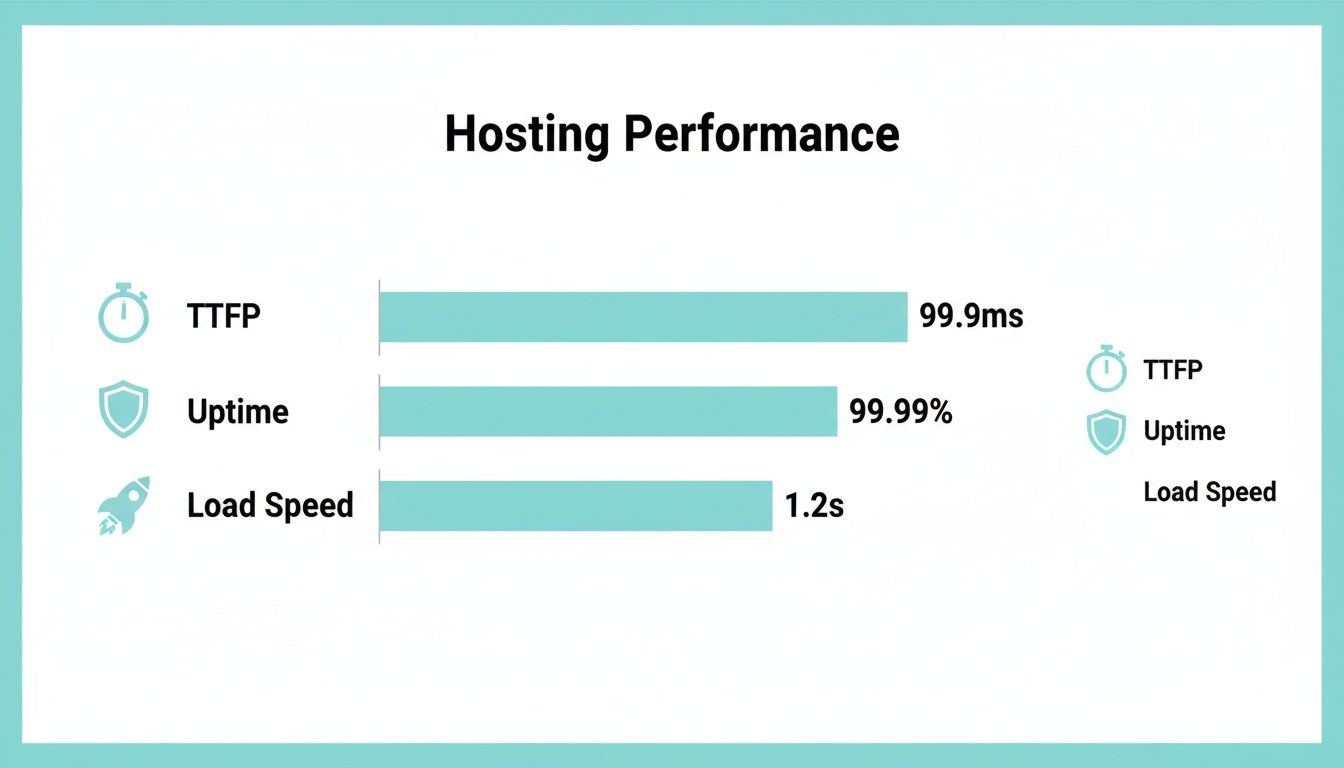
As you can see, top-tier providers are hitting near-flawless uptime and incredibly fast response times. This isn't a luxury; it's the standard you need to compete.
Core Features and Data Centre Proximity
When you start comparing hosting plans, ignore the 'unlimited everything' claims for a moment. The single most important factor for any Australian business is the location of the data centre. Having your website hosted on servers physically located in Australia—usually Sydney or Melbourne—is the bedrock of a fast website for your local customers. It's non-negotiable.
Once you've confirmed a local data centre, look at the tech they're using. Are they running on modern hardware like NVMe SSDs? This type of storage is leaps and bounds ahead of older SSDs and makes a tangible difference in how quickly your pages load. Also, check that essentials like free SSL certificates (for security and SEO) and automated daily backups are included as standard.
A provider might have a tempting price, but if their servers are humming away in the US or Singapore, your Aussie visitors will always have a slower experience. Always prioritise a Sydney or Melbourne data centre; it's the biggest performance win you can get.
Security and Proactive Protection
In today's world, where cyber threats are a constant reality, a basic firewall just doesn't cut it. A trustworthy host needs to provide a multi-layered defence to keep your digital storefront safe, and the quality of these defences varies wildly between providers.
Drill down into the specifics of their security features. You should be looking for:
- Web Application Firewall (WAF): This acts as a gatekeeper, blocking malicious traffic before it ever reaches your website.
- DDoS Mitigation: Protects your site from being knocked offline by overwhelming floods of traffic.
- Automatic Malware Scanning & Removal: A system that actively hunts for and destroys threats without you needing to lift a finger.
Some hosts bake these features into every plan, while others will try to upsell you. Remember, a security breach isn't just a technical glitch—it can shatter customer trust and cost you dearly. It's telling that so-called bulletproof hosting services exist specifically to help criminals hide, which underscores why choosing a transparent, reputable provider is so critical.
To help you compare, here's a look at how some leading providers stack up on the features that matter most for Australian businesses.
Australian Web Hosting Provider Feature Comparison
This table offers a side-by-side comparison of leading Australian web hosts, focusing on the features critical for small and medium businesses, including data centre location, security, support, and scalability.
| Provider | Primary AU Data Centre | Core Security Features | Support Channels | Ideal Business Type | Starting Price (AUD) |
|---|---|---|---|---|---|
| VentraIP | Sydney & Melbourne | WAF, DDoS Protection, Free SSL | 24/7 Phone, Live Chat, Tickets | Startups & Small Businesses | $10.95/mo |
| SiteGround | Sydney | Custom WAF, AI Anti-Bot, Free SSL | 24/7 Phone, Live Chat, Tickets | WordPress & E-commerce | $4.99/mo (promo) |
| Cloudways | Sydney (AWS, Google) | Dedicated Firewalls, Bot Protection | 24/7 Live Chat, Tickets | Developers & Agencies | $16.50/mo (approx) |
| Crucial | Sydney | DDoS Protection, Malware Scanning | 24/7 Phone & Email Support | SMBs & Resellers | $22.90/mo |
| Frank Digital | Sydney (Premium) | Managed WAF, Proactive Scans, DDoS | Dedicated Account Manager, Phone | Professional Services & E-commerce | Custom (Managed) |
This comparison highlights that your choice really depends on your business's specific needs, from startups looking for affordability to established businesses needing dedicated, managed support.
The Managed Hosting Alternative
Let's be honest—most business owners don't want to spend their time worrying about server updates, security patches, or performance tweaks. That's where a managed hosting solution, like the service we offer here at Frank Digital Agency, comes in. With managed hosting, you offload the entire technical headache.
Think of it as having a dedicated tech team without the overhead. We take full ownership of the backend, handling all the server maintenance, security monitoring, and performance optimisation. This proactive approach ensures your site is always fast, secure, and running smoothly. It frees you up to focus on what you do best: running your business. It's the perfect fit for businesses that need enterprise-grade performance without an in-house IT department.
Matching a Hosting Solution to Your Business Needs
Picking a web host isn't a one-size-fits-all deal. It's a classic case of wasted money or poor performance if you get it wrong. The technical horsepower a busy online store needs is worlds away from what a local tradie or a law firm’s informational site requires. The real trick is to match your host’s strengths to your specific business goals.
This is especially true here in Australia, where customers have a clear preference for reliable and secure services. More and more, we see small and medium businesses looking for integrated platforms that bundle hosting with website builders and email. With so many Aussie SMEs jumping online, picking the right hosting solution from the get-go has never been more important. You can get a better feel for the local market by exploring these Australian market trends.
Hosting for Local Service Providers
If you’re a plumber, sparky, or run any home service business, your website is all about generating leads. The two things that matter most are rock-solid reliability and local speed. Think about it: your potential customer is probably on their phone, looking for urgent help. They’re not going to hang around for a slow site to load.
For a tradesperson, the ideal hosting setup needs to tick these boxes:
- Australian Data Centres: This is non-negotiable. A server in Sydney or Melbourne guarantees the fastest possible connection for your local customers.
- High Uptime Guarantee: Your site must be online 24/7. Look for a provider promising at least a 99.9% uptime SLA. You can’t afford to miss a lead because your website is down.
- Simplicity and Support: A managed WordPress plan is often the perfect fit. It takes care of the technical side of things, freeing you up to focus on running your business.
A fast, dependable website builds instant trust. For a service provider, that digital first impression is just as crucial as a clean van and a professional uniform.
Hosting for Professional Services
For law firms, financial advisors, and consultants, business is built on trust and confidentiality. Your website is your digital office, and it has to project authority and security. Here, the hosting requirements pivot from pure speed to bulletproof security and compliance.
Protecting client data is everything. The right hosting solution must put a premium on:
- Advanced Security Protocols: This means a Web Application Firewall (WAF), proactive malware scanning, and DDoS mitigation to shield sensitive information from threats.
- Data Sovereignty: Keeping your data hosted within Australia is often a strict compliance requirement, ensuring you meet the Australian Privacy Principles.
- Guaranteed Performance: Uptime is a direct reflection of your professional credibility. If a client tries to access important information and finds your site offline, it can seriously damage your reputation.
For professional services, hosting isn't just about keeping the lights on; it's a core component of risk management. Investing in a secure, managed hosting solution is an investment in client trust and business continuity.
Hosting for E-Commerce Brands
When you run an e-commerce store, your website is your business. Performance isn't just a nice-to-have; it's directly linked to your revenue. A one-second delay in page load time can cause a massive drop in conversions. It’s no surprise, then, that online retailers have the most demanding hosting needs.
An e-commerce host absolutely has to deliver on:
- Scalability: You need the power to handle sudden traffic spikes from a flash sale or a big marketing campaign without the site grinding to a halt. This often means you’ll be looking at a VPS or cloud hosting.
- Performance Under Load: Look for hosts that use modern tech like NVMe SSDs and server-side caching. This ensures your product pages, even with high-res images, load in a snap.
- Platform Compatibility: Your host must be properly optimised for your chosen platform, whether that’s WooCommerce, Shopify, or Magento, to keep everything running smoothly.
Your online store needs a powerful, responsive foundation to turn visitors into customers. This is where the right hosting setup gives you a real competitive edge. To learn more, check out the benefits of developing a dynamic website that can adapt to user behaviour and drive sales.
A Practical Checklist for Migrating Your Website

The idea of switching web hosts can feel a bit daunting. Let's be honest, it sounds technical and complicated. But with a solid plan, it’s a straightforward process that can genuinely boost your website's speed and reliability. A smooth, well-planned migration means minimal downtime and zero data loss, so your customers won’t even notice the change.
To make it easy, I've broken the whole thing down into three distinct phases: what to do before, during, and after the move. Following these steps will keep you organised and ensure nothing gets missed, whether you're tackling it yourself or handing it over to a pro.
Phase 1: Pre-Migration Preparation
Before you move a single file, you need to get your house in order. This first phase is all about creating a safety net and doing a quick audit of your current site. It’s the part people often rush, and that's exactly where things go wrong.
The main goal here is to secure what you have and know exactly what you’re moving. Your first step, without question, is a full backup.
- Full Website Backup: Get a complete copy of everything – your website files (themes, plugins, all your media uploads) and the database. Download these files and keep them somewhere safe, ideally on your local computer and also in a separate cloud storage account like Dropbox or Google Drive.
- Content and Plugin Audit: This is the perfect time for a clean-up. Go through your site and get rid of any old themes or plugins you're no longer using. Deactivating and deleting them shrinks your backup size and closes off potential security holes.
- Choose Your New Host: By now, you should have decided on the right Australian web host. Go ahead and set up the new account, but do not cancel your old one yet. Keep it running for now.
Think of your website backup as an insurance policy. You hope you won't need it, but if something goes wrong during the transfer, having a complete, recent copy of your site is the only thing that can prevent a disaster.
Phase 2: The Migration Process
With all your prep work done, it's time for the technical part: moving your website’s files and database over to their new home. You’ll need to make sure everything connects properly in the new server environment.
How you do this can vary. Many hosts, especially those offering managed WordPress services, will actually handle the migration for you for free. Others provide simple plugins that automate most of the heavy lifting.
- Upload Files: Using an FTP client (like the free tool FileZilla) or the File Manager in your new hosting control panel, upload all your website files into the
public_htmldirectory. - Create and Import Database: In your new host's cPanel or dashboard, create a brand new database and a user for it. Then, import the database file you backed up earlier into this new one.
- Configure Connection: You'll need to tell your website where to find its new database. This involves editing your site’s main configuration file (for WordPress, this is the
wp-config.phpfile) with the new database name, username, and password.
Phase 3: Post-Migration Testing and Go-Live
Your website is now sitting on the new server, but you're not done just yet. This last phase is all about rigorous testing before you flick the switch and point your domain name to the new host.
Proper testing is what ensures your customers see a perfectly functioning website, not one riddled with broken links or missing images.
- Preview and Test: Your new host will give you a temporary URL or a method to preview the site before it's live. Use it. Click through every single page, submit your contact forms, check that all your images load, and test any special features.
- Update DNS Settings: Once you’re 100% happy that everything works perfectly, it's time to go live. Log in to your domain registrar (the company you bought your domain name from) and update the nameservers to the ones your new host provided. These DNS changes can take up to 48 hours to fully kick in across the internet.
- Final Checks: After the DNS has updated, give your website a final once-over. Keep a close eye on its performance and make sure everything is running smoothly on the new server. It's smart to keep your old hosting account active for at least another week, just as a final backup, before you cancel it.
A Few Final Questions Answered
Choosing a web host can feel like a big commitment, and it's normal to have a few last-minute questions. Getting these sorted is the final step to making a confident decision that truly fits your business.
Let’s tackle some of the most common questions we hear from Australian business owners, so you can move forward with total clarity.
How Important Is a Local Australian Data Centre?
For any business targeting an Australian audience, a local data centre isn't just a "nice-to-have"—it's a game-changer. The single biggest reason comes down to one word: latency. This is the physical time it takes for your website's data to travel from its server to your customer's screen.
When your site is hosted in Sydney or Melbourne, that travel time is incredibly short for Australian visitors. This means faster page loads, which is a massive factor in keeping people on your site and a key signal Google uses for search rankings. A snappy, responsive site just feels more professional and stops potential customers from clicking away out of frustration.
There's also the legal side of things. Hosting your data here in Australia helps you stay compliant with the Australian Privacy Principles. If you collect any customer information—from a simple contact form to e-commerce orders—keeping that data on-shore is a smart, responsible move. It’s one of the simplest and most effective decisions you can make for a faster, more secure website.
What Is Managed Hosting and Is It Worth It for My SMB?
Think of managed hosting as having a dedicated IT team for your website, without the eye-watering cost of hiring one. The hosting provider takes full responsibility for all the technical heavy lifting—security monitoring, software updates, performance tweaks, and daily backups. For most small to medium businesses, the investment is absolutely worth it.
It’s about peace of mind. Instead of you worrying about security patches or what to do if your site gets a sudden surge in traffic, a team of experts is already handling it. This proactive approach keeps your site fast, secure, and online, freeing you up to focus on what you do best: running your business.
For business owners without an in-house tech expert, managed hosting is invaluable. It’s the difference between a website that’s a constant worry and a website that’s a reliable, high-performing asset.
This is exactly why services like the one we offer at Frank Digital Agency exist. We provide hosting for business owners who just need their website to work flawlessly, so they can get on with serving their customers.
Can I Switch Web Hosts if I Am Unhappy With My Current Provider?
Yes, absolutely. If your current provider isn't delivering on performance, support, or value, you can and should make a switch. Moving a website might sound daunting, but it’s a very common process and, when planned properly, can be done with minimal or even zero downtime.
Most good hosting companies and digital agencies will even handle the migration for you. The process typically looks something like this:
- Set up your new hosting plan with the provider you've chosen.
- Take a complete backup of your current website's files and its database.
- Upload and install everything on the new server.
- Update your domain’s DNS settings to point to the new location.
Our migration checklist in the previous section walks you through this step-by-step, helping you avoid the common traps and manage the move with confidence.
What Is the Difference Between a Domain Name and Web Hosting?
It's easy to get these two mixed up. The simplest way to think about it is with a real-world analogy.
Your domain name (e.g., yourbusiness.com.au) is like your business's street address. It's the unique, memorable name that people use to find you online.
Web hosting is the actual physical land and building at that address. It's the server space where all your website’s files, code, images, and content are stored.
You need both for your website to exist. You register a domain name, then you rent space (hosting) to build your site on. When someone types your domain into their browser, it's like a GPS pointing them straight to the server where your website lives, so they can see all your content.
Ready to stop worrying about your website's speed, security, and performance? The team at Frank Digital Agency offers premium managed hosting solutions designed specifically for Australian businesses that demand reliability and growth. Let's build a powerful online presence together.