

Let’s get one thing straight: a beautiful website that no one can find isn't a business asset. It's a digital billboard in the middle of the desert. Strategic website design for seo is all about building a site that is engineered from the ground up to climb the search rankings, attract the right kind of leads, and ultimately, drive sales.
Why SEO Focused Web Design Is A Growth Engine
So many businesses make the same critical mistake. They treat web design and search engine optimisation as two separate, disconnected projects. First, they pour money into a visually stunning website, and only then do they bring in an SEO expert to "sprinkle some SEO on it."
This approach is fundamentally broken. It almost always leads to wasted time, missed opportunities, and a website that just doesn't perform. Real, sustainable growth happens when SEO is woven into the very DNA of your website, right from the first wireframe.
Trying to bolt SEO onto a finished website often means expensive and frustrating overhauls to fix deep structural issues that are tanking its performance on Google. It's like building a house on a dodgy foundation; patching the cracks later is always harder and more expensive than getting it right the first time.
The Real Cost of Poor Design
Think about this real-world scenario. An Adelaide homeowner has a burst pipe at 2 AM. They grab their phone and frantically search for an "emergency plumber Adelaide."
Two websites pop up. The first looks gorgeous but takes a full five seconds to load and is a nightmare to use on a small screen. The second is clean, loads instantly, and has a massive "Call Now" button right at the top.
Which plumber gets the job? It’s a no-brainer. The second one wins the business, not because their logo was fancier, but because their website was built for speed, mobile usability, and the user's immediate need—all core pillars of SEO. This isn't just a hypothetical; it plays out thousands of times a day for businesses across the country.
A website's main job isn't just to look good. It’s to be found by the right people, at the right moment, and make it incredibly easy for them to take the next step. When design and SEO work in harmony, your site transforms from a simple online brochure into a predictable, lead-generating machine.
Tapping into Local Search Intent
This local focus is absolutely crucial. Here in Australia, a massive 46% of all Google searches have local intent. This makes a website optimised for local SEO a complete game-changer for service businesses like plumbers, electricians, or local cafes.
What's more, an incredible 28% of those local searches result in a conversion—a phone call, a booking, a visit. To really unlock this potential, you have to integrate the best ecommerce website design principles right from the start.
When you boil it down, failing to build a site for search isn't just a marketing misstep; it's a direct hit to your bottom line. You're leaving real, tangible revenue on the table for your competitors to pick up.
Building Your SEO Blueprint With Smart Site Architecture
Think of your website's architecture as the actual blueprint for a house. If the layout is confusing, visitors get lost, frustrated, and leave. It’s the same online. A poorly planned site structure not only turns away potential customers but also makes it incredibly difficult for search engines like Google to figure out what your business is all about.
A smart site structure is the absolute bedrock of designing a website that actually ranks.
It’s all about organising your content so it’s intuitive for people and a piece of cake for search engine crawlers to follow. This logical flow helps pass authority (what we call "link equity") from your most important pages down to the more specific ones, lifting the SEO performance of your entire site. A flat or chaotic structure does the opposite—it confuses everyone and dilutes your ranking potential.
This is why great web design and solid SEO are two sides of the same coin, working together to drive real business growth.
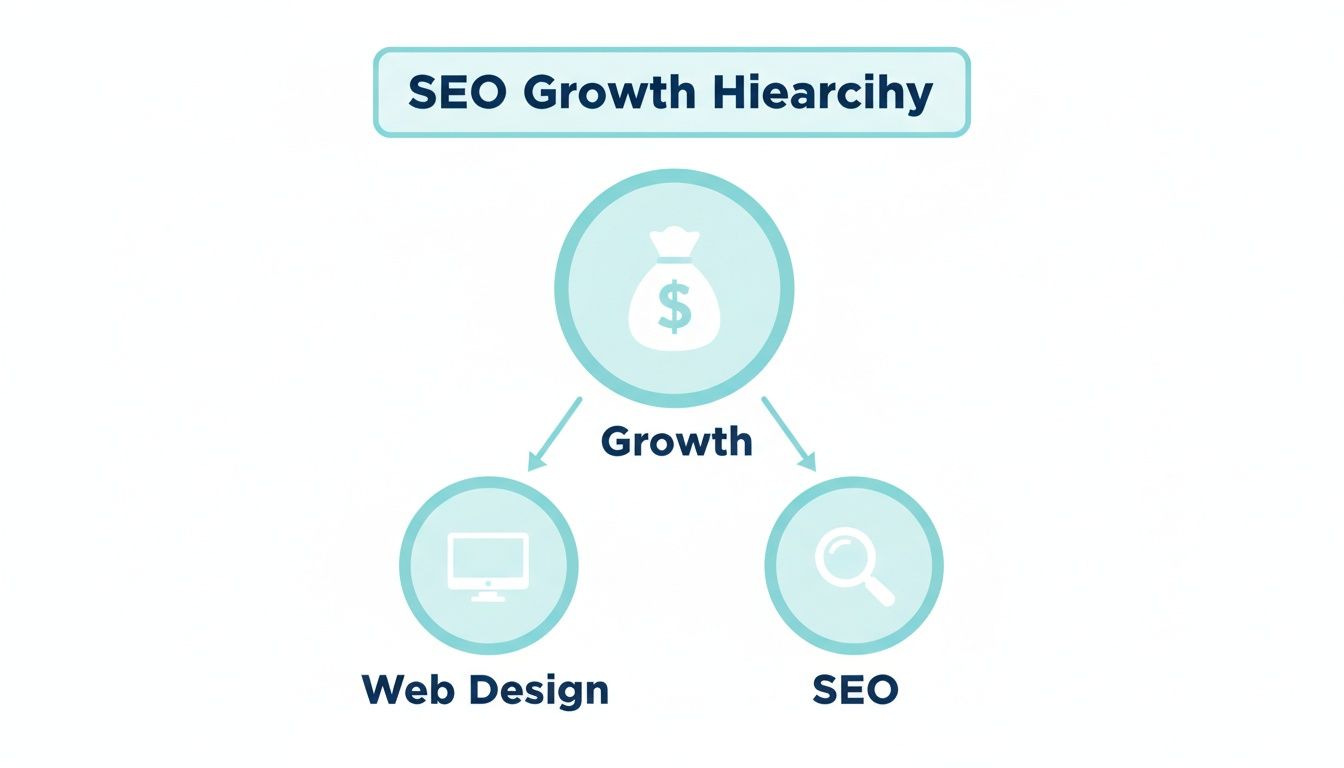
You can't just focus on one and expect amazing results. It's the strategic combination of both that creates a powerful engine for success.
Creating A Clear Content Hierarchy
Let’s get practical with an example. Imagine an Adelaide conveyancing firm. Their goal is to get clients who need help with property transfers. A common mistake I see is a single "Services" page with a long, jumbled list of everything they offer. From an SEO perspective, that's a total nightmare.
A far better approach is to create a logical, tiered structure. You start broad and then get more specific.
- Homepage: This is the front door, introducing the firm.
- Primary Service Pages (Pillars): These are your main service categories. For our example, think
Residential ConveyancingandCommercial Conveyancing. They sit right under the homepage. - Specific Service Pages (Clusters): These are the detailed pages that support the pillars. Under
Residential Conveyancing, you’d have pages likeBuying a Home,Selling a Home, andFirst Home Buyer Grants.
This "pillar and cluster" model creates crystal-clear pathways. Someone searching for "first home buyer conveyancer Adelaide" is far more likely to land on—and engage with—a dedicated page that speaks directly to their needs. This signals relevance to Google and makes for a much better user experience.
Designing Intuitive Navigation and URLs
Your main navigation menu needs to mirror this clean hierarchy. It’s the primary roadmap for both your users and search engines, so make sure your most important pages are easy to find. Ditch vague labels like "What We Do" and use clear, keyword-rich terms like "Residential Services" instead.
This same logic has to flow through to your URLs. Clean, descriptive URLs are a non-negotiable part of good technical SEO.
- Poor URL:
yourfirm.com.au/page-id=123 - Good URL:
yourfirm.com.au/residential-conveyancing/ - Excellent URL:
yourfirm.com.au/residential-conveyancing/buying-a-home/
See the difference? The excellent URL tells both the user and Google exactly what the page is about before anyone even clicks. It reinforces the site's structure and helps you rank for your target keywords.
A well-organised website doesn't just help people find what they need in fewer clicks; it allows Google to crawl and index your pages much more efficiently. This directly leads to better rankings and a stronger online presence.
Finally, you need to implement breadcrumbs. These are the small navigational links you often see at the top of a page (e.g., Home > Residential Conveyancing > Buying a Home). They're fantastic for user experience, as they let people easily navigate back to previous sections, which can lower your bounce rate. For search engines, breadcrumbs are a goldmine—they reinforce your site structure and build a network of valuable internal links, giving your SEO another boost.
Getting The Technical SEO Right
If your site architecture is the blueprint, then technical SEO is the foundation and the wiring. It’s all the behind-the-scenes work that helps search engines find, understand, and rank your website.
While it sounds intimidating, you don't need to be a developer to get the basics. Having a solid grasp of these concepts makes you a much more effective partner for your web design agency, ensuring your investment truly pays off.
Giving Google a Clear Roadmap: XML Sitemaps
One of the most crucial tools in your kit is the XML sitemap. Think of it as a clean, organised map of your website that you hand directly to search engines. It lists every important page, making it incredibly easy for Google's crawlers to discover all your content.
Without a sitemap, Google has to find pages by following links, which can be messy and sometimes lead to important content getting missed. Submitting an XML sitemap through Google Search Console is a simple, non-negotiable step for any serious website. It's the difference between giving a delivery driver the exact address versus just telling them the suburb.
Solving The Duplicate Content Dilemma With Canonical Tags
Duplicate content is a massive headache, especially for e-commerce sites. Imagine you have an online store in Adelaide selling a t-shirt that comes in three colours and four sizes. If every variation gets its own URL, you suddenly have twelve nearly identical pages.
This confuses search engines. They don't know which one is the "main" page to show in search results. The fix? A canonical tag.
This little piece of code essentially tells Google, "Hey, I know there are a few versions of this page, but this specific one is the original. Focus all your ranking power here." By setting a single canonical URL, you consolidate your SEO authority instead of diluting it across a dozen variations.
Standing Out in Search Results With Structured Data
Ever notice those search results with star ratings, event dates, or recipe cooking times? That's the power of Schema markup, also known as structured data. It’s a special vocabulary you add to your site's code to give search engines deeper context about your content.
For example, you can use Schema to explicitly tell Google things like:
- "This number is a product price."
- "This is our business address and phone number."
- "These are customer reviews for this specific service."
When Google understands this perfectly, it can display it as a rich snippet in the search results. A listing with five gold stars is always going to get more clicks than a plain text link sitting next to it. It’s a fantastic way to boost your visibility and click-through rate.
Essential Technical SEO Checklist
To keep things simple, here’s a quick-reference table covering the core technical elements every website needs. It breaks down what each one is, why it's critical, and how you can quickly check it.
| Technical Element | Why It Matters For SEO | Quick Check |
|---|---|---|
| XML Sitemap | Provides a clear map for search engines to find and index all your important pages. | Check for yourdomain.com/sitemap.xml and ensure it's submitted in Google Search Console. |
| Canonical Tags | Prevents duplicate content issues by telling Google which page version is the primary one. | Use a browser extension like "SEO Meta in 1 Click" to inspect the rel="canonical" tag on pages with variations. |
| Schema Markup | Helps Google understand your content better, enabling rich snippets (like ratings) in search results. | Use Google's Rich Results Test tool to see if your pages are eligible. |
| Mobile-First Design | Google ranks your site based on its mobile version. A poor mobile experience tanks your rankings. | Test your site on your phone. Is it easy to read, tap, and navigate without pinching or zooming? |
| Page Speed | Slow sites lead to high bounce rates and lower rankings. Speed is a confirmed ranking factor. | Run your URL through Google's PageSpeed Insights for a detailed performance report. |
Getting these elements right from the start lays a rock-solid foundation for all your other SEO efforts to build upon.
The Undeniable Power of a Mobile-First World
The shift to mobile isn't just a trend; it's the standard. Google now operates on mobile-first indexing, which means it predominantly uses the mobile version of your site for indexing and ranking.
Put simply: your mobile site is your main site in Google's eyes.
A clunky, slow, or hard-to-use mobile experience will directly torpedo your rankings—even for people searching on a desktop. This is why responsive design that adapts flawlessly to any screen is no longer optional. It's an absolute must-have.
A robust technical foundation is critical for performance, and this includes understanding the essentials of website hosting and maintenance. A fast, secure host directly impacts how quickly Google can crawl your site and how users experience it.
A massive part of that mobile experience is speed. With well over half of all web traffic coming from mobile devices, users have zero patience for slow-loading pages. As we've detailed before, making sure your website speed is downright necessary isn't just for good user experience; it's for survival in search rankings.
Optimising For Core Web Vitals And Mobile Experience
Let's be blunt: speed and mobile usability aren’t just nice features anymore. They are absolute make-or-break ranking factors. A slow, clunky website doesn't just frustrate visitors; it's a direct signal to Google that you aren't providing a quality experience, which actively torpedoes your chances of ranking well.
This is exactly where Google's Core Web Vitals enter the picture. Think of them as a technical report card for your site's real-world performance. For any serious website design for seo, acing this test is non-negotiable.
What Core Web Vitals Actually Mean for Your Business
The technical jargon can sound a bit intimidating, but what these metrics measure has a direct and straightforward impact on your bottom line. Let's break down the big three.
- Largest Contentful Paint (LCP): How long does it take for the main event—usually a big hero image or text block—to show up? A slow LCP means people are staring at a blank screen, which immediately makes your site feel broken or untrustworthy.
- First Input Delay (FID): This one measures the lag between a user’s action (like clicking a button) and the site actually responding. A high FID is what causes those infamous "rage clicks" when someone hammers a button that isn't working. It's pure frustration.
- Cumulative Layout Shift (CLS): Ever gone to tap a button on your phone, only for an ad to load and push it out of the way, making you tap something else entirely? That jarring, unpredictable movement is a layout shift. A high CLS score erodes trust and makes your site feel chaotic.
A poor score in any of these areas leads directly to higher bounce rates, shorter visits, and ultimately, lost sales. The financial fallout is staggering; slow-loading websites cost Australian retailers an estimated $2.6 billion annually. The data is clear: most users will give up on a site if it takes more than three seconds to load.
Actionable Steps For a Faster Website
Fixing your Core Web Vitals isn't just a developer's job—it's baked into the design process itself. Smart design choices made from the very beginning can stop speed issues from ever becoming a problem.
Images are often the biggest culprit. We all want stunning, high-resolution photos, but they can be enormous files that drag everything to a halt. The trick is to compress them smartly and use modern formats.
Modern Image Formats to Use
- WebP: Developed by Google, WebP offers far better compression than old-school JPEGs and PNGs. It can dramatically shrink file sizes with almost no noticeable drop in visual quality.
- AVIF: This is an even newer format that often beats WebP on compression, making it a brilliant choice for sites where every kilobyte counts.
Your web hosting is another huge piece of the puzzle. That cheap, shared hosting plan might save a few dollars a month, but it can absolutely cripple your site's performance. Investing in quality web hosting with servers located in Australia is essential for giving your local audience the fast experience they expect.
Designing For a Flawless Mobile Experience
With Google's mobile-first indexing now the standard, your mobile site isn’t just some secondary version—it is your site in Google's eyes. A great mobile experience is so much more than just a desktop site that shrinks to fit a small screen. It has to be built from the ground up with the mobile user's needs in mind.
A truly effective mobile website anticipates what a user on the go needs. It prioritises clarity, speed, and immediate access to the most important actions, turning a casual visitor into an engaged customer.
Imagine a local restaurant in Adelaide. Someone looking up their site on a phone probably wants one of three things: the menu, the phone number, or directions.
A smart mobile design would deliver this instantly:
- A sticky "Call Now" button that’s always visible.
- A clear link that opens Google Maps with the address ready to go.
- A clean, simple menu with big, tappable buttons.
This is what user-centric design is all about. It removes all the friction and makes it ridiculously easy for a visitor to do what they want to do, which in this case, directly leads to more bookings and more customers walking through the door.
Understanding what is responsive web design is the foundation for creating these conversion-focused mobile experiences. It's about crafting an interface that feels completely natural and intuitive, no matter what device it's on.
Connecting Content And Design For Higher Conversions
Think of it this way: great design gives your content a stage to perform on, and great content gives that design a real purpose. A truly effective website design for seo is one where these two elements are woven together, creating a seamless journey that guides a visitor from simple curiosity to a sale. You're essentially building a machine where every single component works toward the same goal.
This relationship starts before anyone even lands on your site—it begins right in the search results. Your title tags and meta descriptions are the first handshake, a promise of the value that lies within. They have to be compelling enough to earn the click over all your competitors.
Crafting Title Tags That Demand a Click
Your title tag is arguably the most important piece of your on-page SEO puzzle. It’s that blue link in the Google results and the text that shows up in the browser tab. It needs to be sharp, clear, and persuasive.
A winning formula usually combines the primary keyword, a key benefit, and your brand name.
- Weak Title: Plumber Services
- Strong Title: 24/7 Emergency Plumber in Adelaide | Fixed-Price Quotes | Frank's Plumbing
The strong title instantly tells the searcher what they need to know: What is it? (Emergency Plumber), Where is it? (Adelaide), and Why should I choose them? (24/7, Fixed-Price). This tiny piece of text can make a massive difference to your click-through rate.
Writing Meta Descriptions That Convert
While it’s not a direct ranking factor, your meta description is your sales pitch in the search results. It’s your chance to expand on the promise you made in the title and convince someone your page has the best answer to their problem.
Focus on action-oriented language and highlight what makes you unique. Ask yourself, "What makes our service the best choice?" and weave that answer into the description. It’s amazing how many businesses overlook this, but crafting compelling copy here is a critical part of how web design elements impact conversion rates.
Why Heading Hierarchy Is Crucial
Once a user clicks through, your on-page structure takes over. This is where a logical heading hierarchy is essential for both your visitors and search engines. Let’s be honest, people don’t read websites anymore; they scan. Headings act as signposts, breaking up the text and guiding their eyes to the info they actually want.
Your heading structure should follow a clear, logical order:
- H1 (Heading 1): You should only ever have one H1 per page. This is the main title, and it needs to clearly state what the page is about, almost always including your primary keyword.
- H2 (Heading 2): Use these to break your content into major topics. Think of them as chapters in a book, organising everything into digestible sections.
- H3 (Heading 3): These are for sub-topics that sit under an H2, allowing you to get more granular and add more structure to each main section.
A well-structured page with clear headings makes your content instantly scannable, which can dramatically lower your bounce rate. For search engines, this hierarchy provides a clean outline of your content, helping them understand its context and relevance to user queries.
The Art of Strategic Internal Linking
Finally, internal linking is the glue that holds your entire SEO strategy together. It’s simply the practice of linking from one page on your website to another relevant page. This delivers two huge benefits: it helps users discover more of your content, and it distributes "link equity" or authority throughout your site.
Let’s look at a real-world scenario. A plumbing company in Adelaide has a core service page for "Blocked Drains." They also have a blog where they post helpful articles.
A smart internal linking strategy would be to write a blog post titled "5 Common Causes of Blocked Kitchen Sinks." Within that article, they would naturally link a phrase like "professional help for blocked drains" directly to their main "Blocked Drains" service page.
This one simple link achieves three things at once:
- It helps the user: Someone reading the blog post can easily click through to hire a professional if their DIY attempts don't work out.
- It signals relevance to Google: It tells Google that the "Blocked Drains" page is an authoritative resource on this topic.
- It passes authority: Any SEO power the blog post earns is shared with the more important service page.
By weaving content and design together through smart on-page SEO and strategic linking, you create a powerful system that doesn't just attract traffic but actively guides it towards becoming a lead or a sale.
Common Questions About SEO and Web Design
Embarking on a new website project always brings up a heap of questions. Let's cut through the noise and tackle some of the most common queries we hear from business owners, giving you the straight answers you need to invest wisely in your site's design and SEO.
How Long Does It Take to See SEO Results?
Ah, the million-dollar question. The honest, no-fluff answer is: it depends. SEO isn’t a switch you flick on; it's a long-term play that builds momentum over time.
For less competitive keywords, you might start seeing some positive movement within three to six months. But for those really valuable, high-competition terms, you’re often looking at six months to a year before you can secure solid, lasting rankings.
Think of it like planting a tree. The initial work—building a website with a rock-solid technical foundation and smart architecture—is like planting a healthy seed in good soil. The ongoing effort of creating valuable content and earning quality links is the water and sunlight that helps it grow into something strong and sustainable.
Should I Use a Template or Get a Custom Design?
This really boils down to your budget, your timeline, and what you’re trying to achieve with your business. Both paths are valid, but they lead to very different places.
- Website Templates (e.g., Squarespace, Wix, ThemeForest): If your budget is tight and you just need to get online fast, a template is a fantastic starting point. They're pre-built, which keeps the initial costs down. The trade-off? You're working within the confines of someone else's design, which can sometimes hamstring your ability to fully optimise for specific SEO opportunities or create a user experience that’s uniquely yours.
- Custom Web Design: This is where you build your website from the ground up, specifically for your business and your customers. You get total control over everything, from the user journey to the nitty-gritty technical SEO framework. It's a bigger investment upfront, no doubt, but a custom site is a powerful, long-term asset built to perform, scale, and perfectly represent your brand.
If you're serious about growing your business online, a custom design is almost always the smarter long-term investment. It allows you to build a site that is perfectly aligned with your SEO strategy, rather than trying to shoehorn your strategy into a restrictive template.
Does My Website's Appearance Affect SEO?
Directly? No. Google’s bots don’t have an opinion on your choice of colour palette. But indirectly? Absolutely, yes.
Your site's visual design is a huge driver of user experience, and those engagement metrics are powerful signals to search engines. A professional, trustworthy design makes people want to stick around, explore your content, and ultimately take action.
Imagine landing on a site that's cluttered and hard to read. Your first instinct is to hit the back button, right? That contributes to a high bounce rate, telling Google your page wasn't a good match for the search. A clean, intuitive design, on the other hand, keeps people engaged, which sends all the right signals and can positively influence your rankings.
Is It Worth Redesigning My Existing Website?
A website redesign can be a game-changer for your business, but only if you're doing it for the right reasons. It's not just about wanting a fresh coat of paint.
You should seriously consider a redesign if:
- Your site isn't mobile-friendly: This is non-negotiable. We live in a mobile-first world.
- It's slow and failing Core Web Vitals: Poor performance is actively hurting your rankings and frustrating users.
- Your conversion rates are in the gutter: The current design simply isn't persuading visitors to become leads or customers.
- The design looks dated and unprofessional: First impressions count, and an old-looking site erodes trust before you've even had a chance to build it.
A strategic redesign focused on improving user experience, speed, and mobile usability can deliver a phenomenal return on investment, boosting both your traffic and your bottom line.
Ready to build a website that doesn't just look great but actively drives growth for your business? At Frank Digital Agency, we specialise in creating high-performance websites engineered to turn clicks into customers. Get in touch with us today for a free consultation.